IT Pro Verdict
Although it's sold as a desktop router, the 4501 is compact enough to travel with easily, making it suitable for short-to-medium term onsite workers, in addition to its obvious use as a home or small office router. Its ability to failover from a wired WAN to 3G connection is valuable for businesses that require constant net access and its web interface is flexible but extremely easy to use. At just £39 (ex VAT), Zoom's 4501 is a solid budget 3G router, although its limited range and few ports means that it's best used to connect devices over a relatively small area
Zoom's budget 4501 wireless router can obtain its internet connection from either a 3G modem connected to its USB port or via a standard Ethernet WAN connection.
Although the 4501 uses 802.11n technology, it isn't a true N router, as it has just a single antenna, a theoretical maximum throughput of 150Mbps and no support for channel bonding. Despite this, the router's transfer speeds were a respectable 46.6Mbps at one metre and 21Mbps at 10. However, its limitations showed in our 20 metre test, during which it was unable to maintain a connection.
The 4501 also has just two 10/100 Ethernet ports, which are by default configured as one WAN and one LAN port.Configuration is easy thanks to a step-by-step wizard built into the router's web interface.
To use the 4501 with your 3G mobile broadband connection, you'll to obtain the correct account settings from your mobile broadband provider. In the case of most UK providers, you'll need to fill APN, Dialed Number (usually *99#), account and password details (if your provider uses these), while leaving the rest blank. You're also prompted to secure your router's wireless signal - the 4501 supports the usual range of 64- and 128-bit WEP, WPA, and WPA2 authentication. The router also supports Wi-Fi Protected Setup (WPS), which allows you to create a secure wireless connection simply by pressing a button on both the router and the client device.
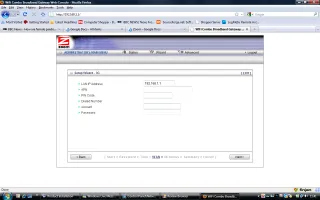
You'll have to obtain the required settings for your mobile broadband provider before you can connect.
Once you've completed the configuration process, you'll get to check and confirm your settings and, if you've opted for a 3G net connection, give the router permission to use the Ethernet WAN port as a second LAN port. This is handy if you wish to connect more than one wired Ethernet device.